SketchBook on Windows 8

SketchBook on Windows 8

SketchBook on Windows 8

SketchBook on Windows 8

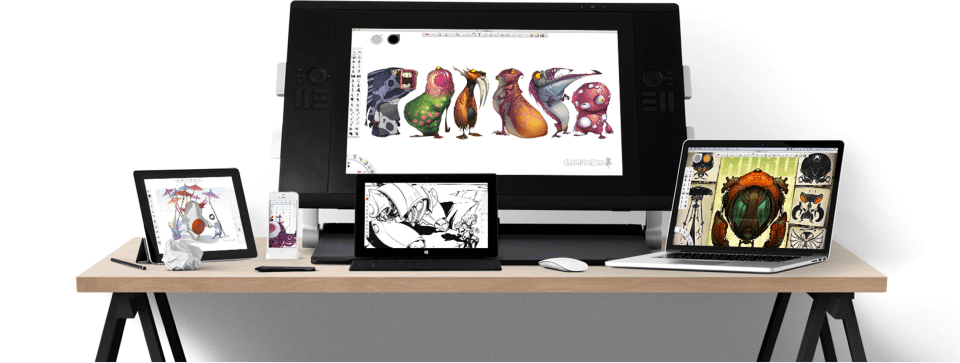
SketchBook is a professional yet simple and intuitive sketching application available on Windows, macOS, iOS, and Android. By the time Microsoft contacted us, SketchBook was already trusted by millions of artists worldwide.

In early 2012, we were invited to create a new app for Windows 8, in Microsoft’s fresh “Metro” design style (later renamed “Modern”).

Role

Designer

Role

Designer

Role

Designer

Stakeholders

Product Manager | Engineers | Micorsoft Team | PR
Stakeholders

Product Manager | Engineers | Micorsoft Team | PR

Stakeholders

Product Manager | Engineers | Micorsoft Team | PR

Background
Background

Background

“Hey SketchBook, give me a hug.”

In early 2012, Microsoft reached out to us with an invitation: would we consider bringing SketchBook to the brand-new Windows 8 platform, announced only a few months earlier?

At the time, Android felt fragmented and unstable, while Apple had long dominated the mobile world. Many believed Windows 8 could be the next game changer. For us, this was not only an exciting design challenge but also an opportunity to establish SketchBook on a next-generation platform. We were eager to collaborate.

“Hey SketchBook, give me a hug.”

In early 2012, Microsoft reached out to us with an invitation: would we consider bringing SketchBook to the brand-new Windows 8 platform, announced only a few months earlier?

At the time, Android felt fragmented and unstable, while Apple had long dominated the mobile world. Many believed Windows 8 could be the next game changer. For us, this was not only an exciting design challenge but also an opportunity to establish SketchBook on a next-generation platform. We were eager to collaborate.

“Hey SketchBook, give me a hug.”

In early 2012, Microsoft reached out to us with an invitation: would we consider bringing SketchBook to the brand-new Windows 8 platform, announced only a few months earlier?

At the time, Android felt fragmented and unstable, while Apple had long dominated the mobile world. Many believed Windows 8 could be the next game changer. For us, this was not only an exciting design challenge but also an opportunity to establish SketchBook on a next-generation platform. We were eager to collaborate.

Exploration

Exploration

Exploration

How does a “Metro” app look like?

Since Windows 8 was in such an early stage, there were no devices, nor even an alpha version of the new system available. All we had back then were some internal technical documents and a few promotional videos on YouTube.

It was tricky to start the project, especially because we needed to finish in less than 1.5 months to be ready for Microsoft’s Consumer Preview launch event. The only option was to study the documents and videos over and over, and extract a few keywords to guide our direction.

How does a “Metro” app look like?

Since Windows 8 was in such an early stage, there were no devices, nor even an alpha version of the new system available. All we had back then were some internal technical documents and a few promotional videos on YouTube.

It was tricky to start the project, especially because we needed to finish in less than 1.5 months to be ready for Microsoft’s Consumer Preview launch event. The only option was to study the documents and videos over and over, and extract a few keywords to guide our direction.

How does a “Metro” app look like?

Since Windows 8 was in such an early stage, there were no devices, nor even an alpha version of the new system available. All we had back then were some internal technical documents and a few promotional videos on YouTube.

It was tricky to start the project, especially because we needed to finish in less than 1.5 months to be ready for Microsoft’s Consumer Preview launch event. The only option was to study the documents and videos over and over, and extract a few keywords to guide our direction.

Exploration & Prototyping

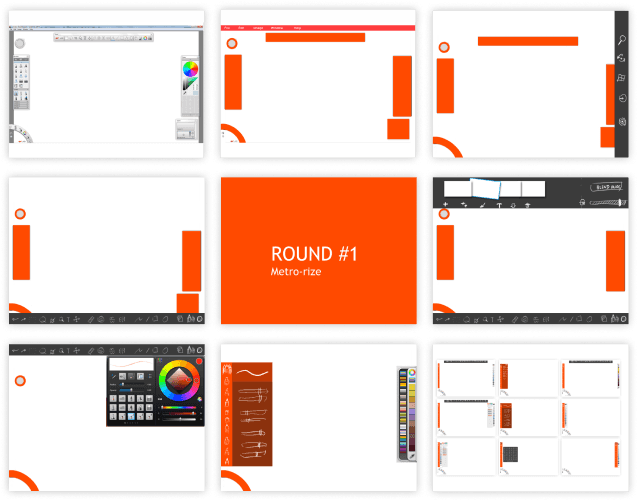
Our first iteration simply replaced existing UI elements with flat color blocks, testing how SketchBook’s established desktop and mobile design patterns might translate to “Metro”.
Exploration & Prototyping

Our first iteration simply replaced existing UI elements with flat color blocks, testing how SketchBook’s established desktop and mobile design patterns might translate to “Metro”.

Exploration & Prototyping

Our first iteration simply replaced existing UI elements with flat color blocks, testing how SketchBook’s established desktop and mobile design patterns might translate to “Metro”.

Later, with access to a pre-preview version of Windows 8 and a few internal documents, we studied Microsoft’s own default apps to better understand expected layouts, gestures, and interactions.

From there, we created richer mockups and presented them to Microsoft. They were impressed—so much so that SketchBook was considered a “sample app” candidate for the launch.
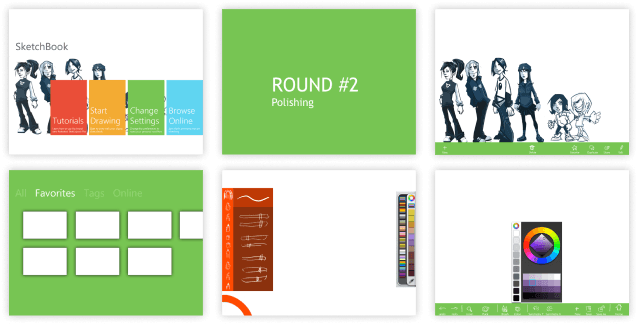
Later, with access to a pre-preview version of Windows 8 and a few internal documents, we studied Microsoft’s own default apps to better understand expected layouts, gestures, and interactions.

From there, we created richer mockups and presented them to Microsoft. They were impressed—so much so that SketchBook was considered a “sample app” candidate for the launch.

Later, with access to a pre-preview version of Windows 8 and a few internal documents, we studied Microsoft’s own default apps to better understand expected layouts, gestures, and interactions.

From there, we created richer mockups and presented them to Microsoft. They were impressed—so much so that SketchBook was considered a “sample app” candidate for the launch.

But this recognition raised a question for ourselves:

What makes SketchBook… SketchBook?

What makes SketchBook… SketchBook?

But this recognition raised a question for ourselves:

What makes SketchBook… SketchBook?

Evolution

Evolution

Evolution

Defining the Core Identity

Should SketchBook on Windows 8 be a full desktop-level app, or a lighter, touch-optimized version like we had on iPad and Android tablets? Microsoft couldn’t give us a clear answer.

So we asked ourselves:“What makes SketchBook, SketchBook?”

The answer wasn’t in the visuals. It was in the soul:

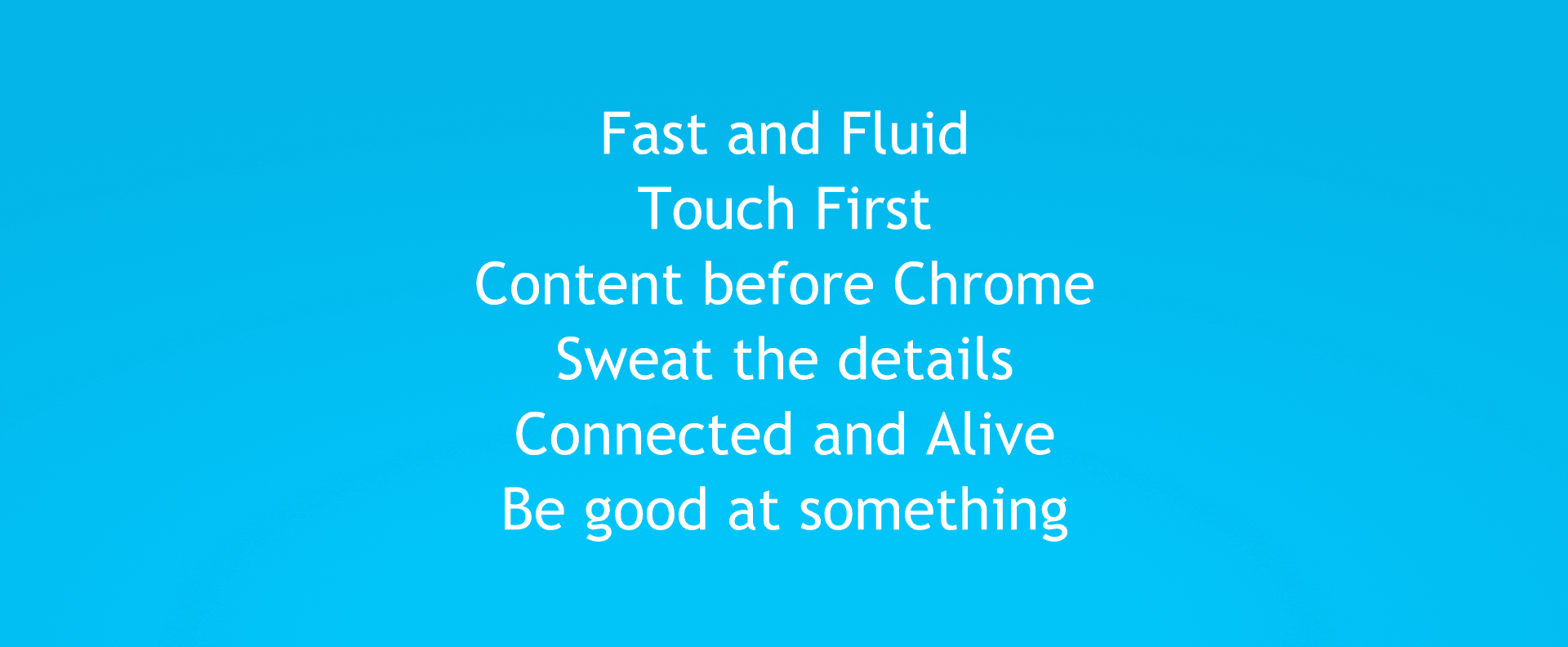
  • Intuitive user experience

  • High-quality sketching strokes

  • Lightning-fast performance

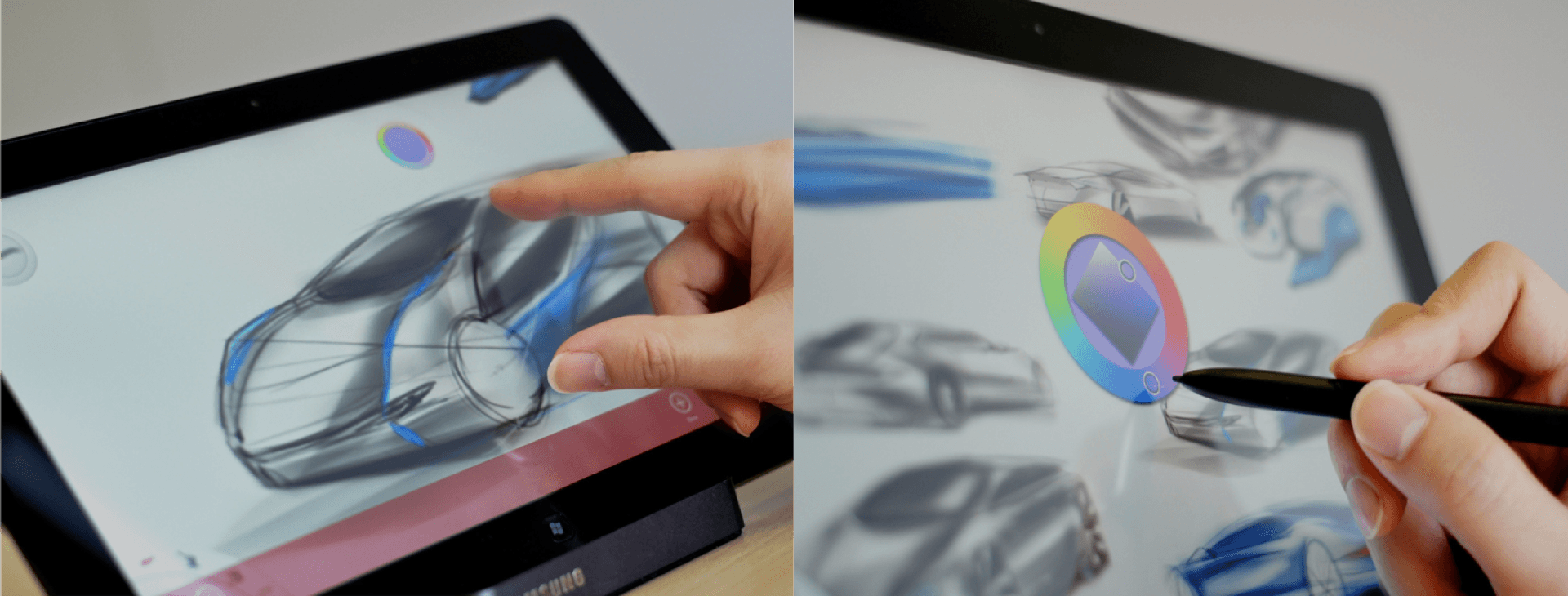
  • Unique pen-optimized interactions, refined for years

  • A pen-first (not just touch-first) workflow

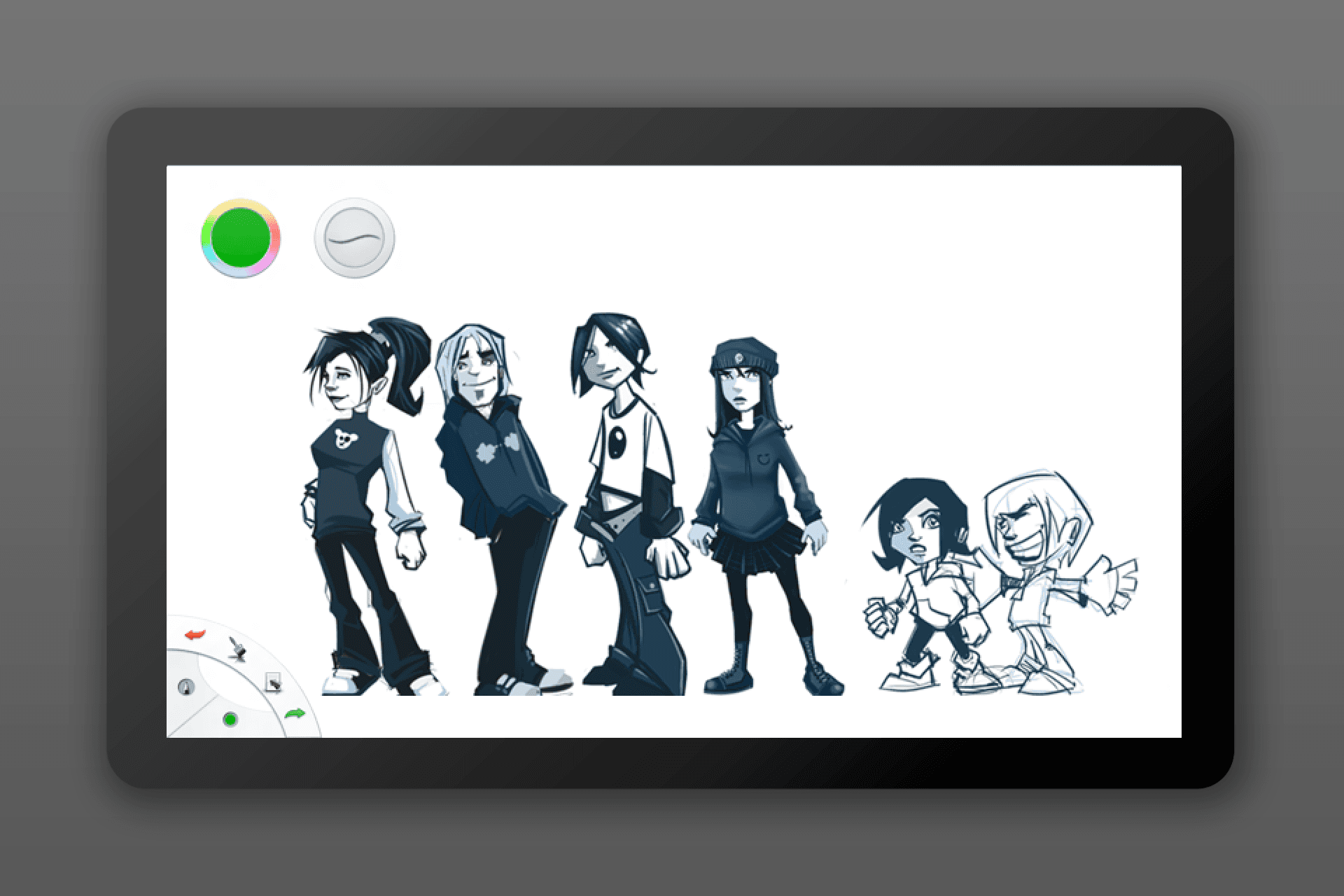
With only four weeks left, we focused on preserving these fundamentals. Instead of reinventing SketchBook, we evolved its key UI elements, prioritized essential features, and poured effort into details.

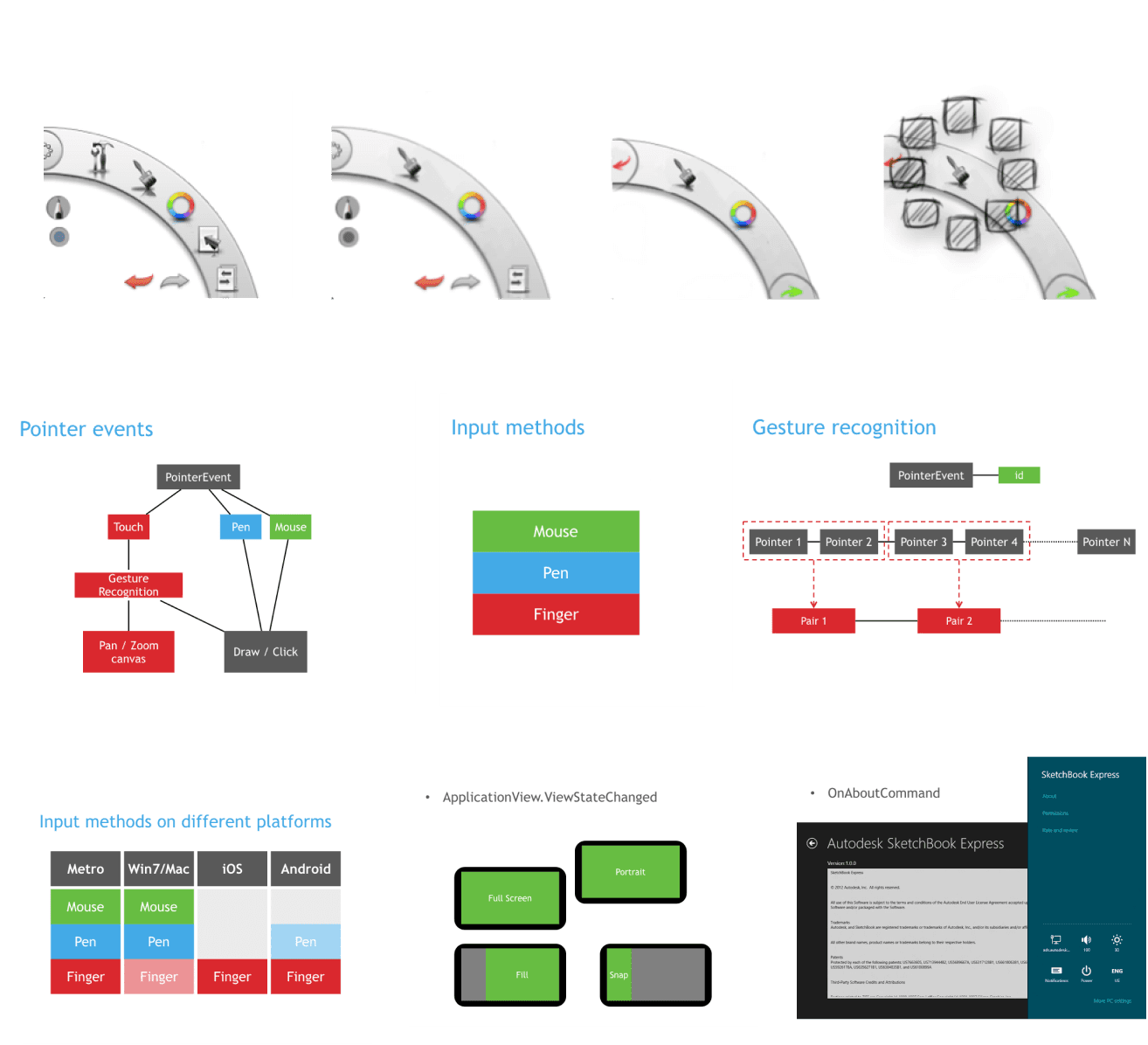
Our guiding principle: make it a pen-first experience—while still being touch-friendly and mouse-compatible.
Outcome

Outcome

Outcome

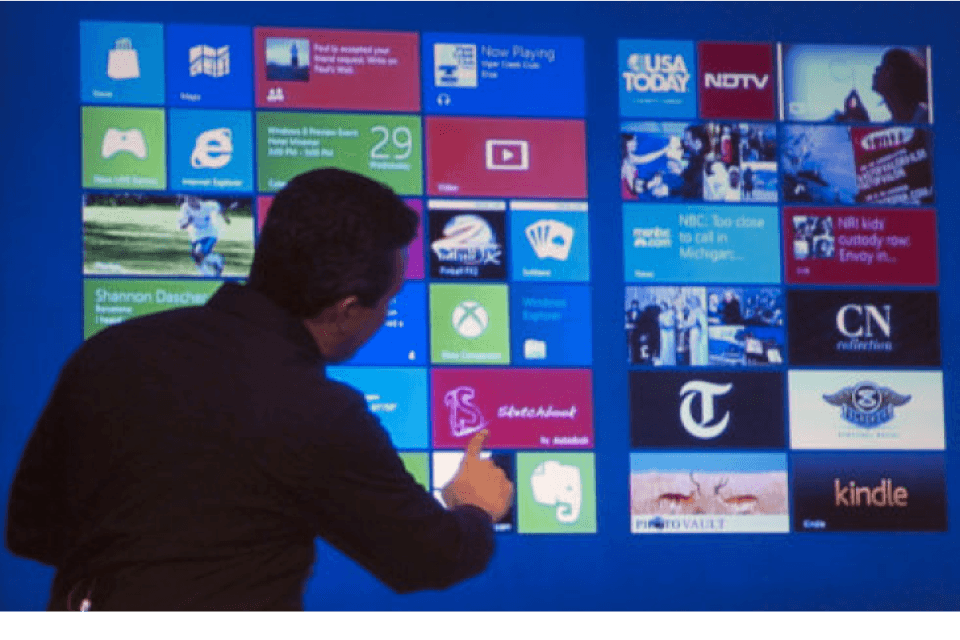
“Hey Microsoft, now hug me back”

On the launching event of the Consumer Preview of Windows 8, SketchBook was featured on the biggest touch screen on stage :)
Create a free website with Framer, the website builder loved by startups, designers and agencies.